For Drivers
Park in seconds.
No app required.
Scan a QR code, pick your time, and pay with Apple Pay or a card. That's it. Here's the full experience, start to finish.
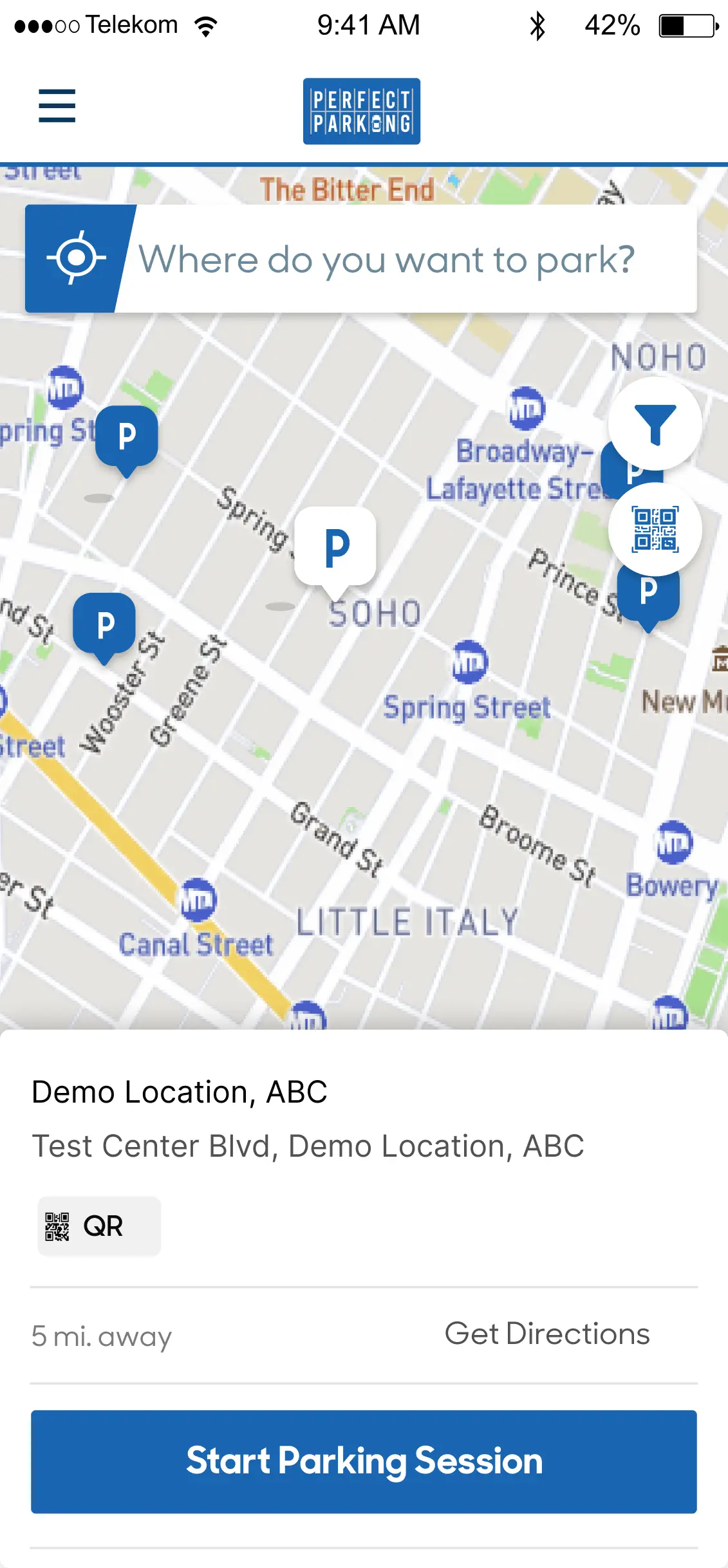
Find a spot. Scan the QR code.
No app download needed. Every Perfect Parking location has a clearly posted QR code sign. Scan it with your phone camera and you're ready to go. Prefer to use the app? Download My Perfect Parking on Google Play.
Works on any iPhone or Android. No account required for your first session.

Choose your time. Pay instantly.
Pick exactly how long you need — 1 hour, 6 hours, all day, or a custom duration. Pricing is shown upfront. Pay with Apple Pay, Google Pay, or any credit card.
No hidden fees. You see the total before you confirm.

Track your session live.
Your active session is always visible in the app. See how much time is remaining, extend with one tap, or stop the session early and only pay for what you used.
Need more time? Extend before the clock runs out — no need to run back to your car.

Tap to exit gated lots.
At gated facilities, your session is linked to your license plate. Tap the exit button in the app when you're ready to leave — the gate opens automatically.
Have a validation code from the hotel or venue? Enter it to reduce or waive your parking fee.

Payment handled. Receipt sent.
When your session ends, your saved card is charged automatically. A receipt lands in your inbox instantly. No cash, no tickets, no stress.
Save multiple cards for personal and business use. Switch anytime.

Full session history, always on hand.
Every session is logged and searchable. Pull up receipts, dispute charges, or send a copy to your employer — all from the app in seconds.
Need a receipt for expenses? It's always in your session history.
Own a parking lot?
This is the experience your parkers get — seamless, fast, and digital. Let us set it up for you at no upfront cost.
About Perfect Parking for Drivers
Perfect Parking provides contactless, mobile-first parking at hotels, hospitals, multifamily properties, marinas, and commercial lots across Texas. There is no app to download for your first session — just scan the QR code posted in the lot with your phone camera and follow the prompts. You can pay with Apple Pay, Google Pay, or any major credit or debit card in under 30 seconds.
Your license plate is your permit. There is nothing to display on your dashboard. Active sessions are tracked in the app where you can check remaining time, extend your session with one tap, or stop early and pay only for what you used. At gated facilities, tap the exit button in the app to open the gate automatically — no ticket to retrieve, no cash booth.
Session receipts are delivered to your email instantly after each visit and stored permanently in your session history. If you need a receipt for expense reporting, it is always accessible in the app. Rates are shown upfront before you confirm payment and vary by location, time of day, and any active events at the property.
If you manage or own a parking lot and want to offer this experience to your tenants, guests, or visitors — Perfect Parking sets up the full system at no upfront cost. Visit our contact page to request a free revenue estimate or call (361) 585-1111.
No commitment. We'll give you a straight answer either way.