Parking That Works
as Hard as Your Staff
Perfect Parking turns your hotel lot into a managed revenue asset — with a built-in guest validation system your front desk can operate in seconds, from any browser.
The Problem
Hotels often give parking away for free, rely on outdated front-desk binders, or lose revenue to unauthorized vehicles taking guest spaces.
The Opportunity
Convert your surface lot or garage into a digital revenue asset. Non-guests pay market rate. Hotel guests are validated in seconds — no key cards, no paper tickets.
The Outcome
Increased RevPAR, zero front-desk friction, elimination of unauthorized parking, and a new monthly income stream from your existing lot.
Staff Portal
Three Steps to Issue a Validation
Your front desk, concierge, or valet staff can validate any guest's parking from any browser — no app, no training required.
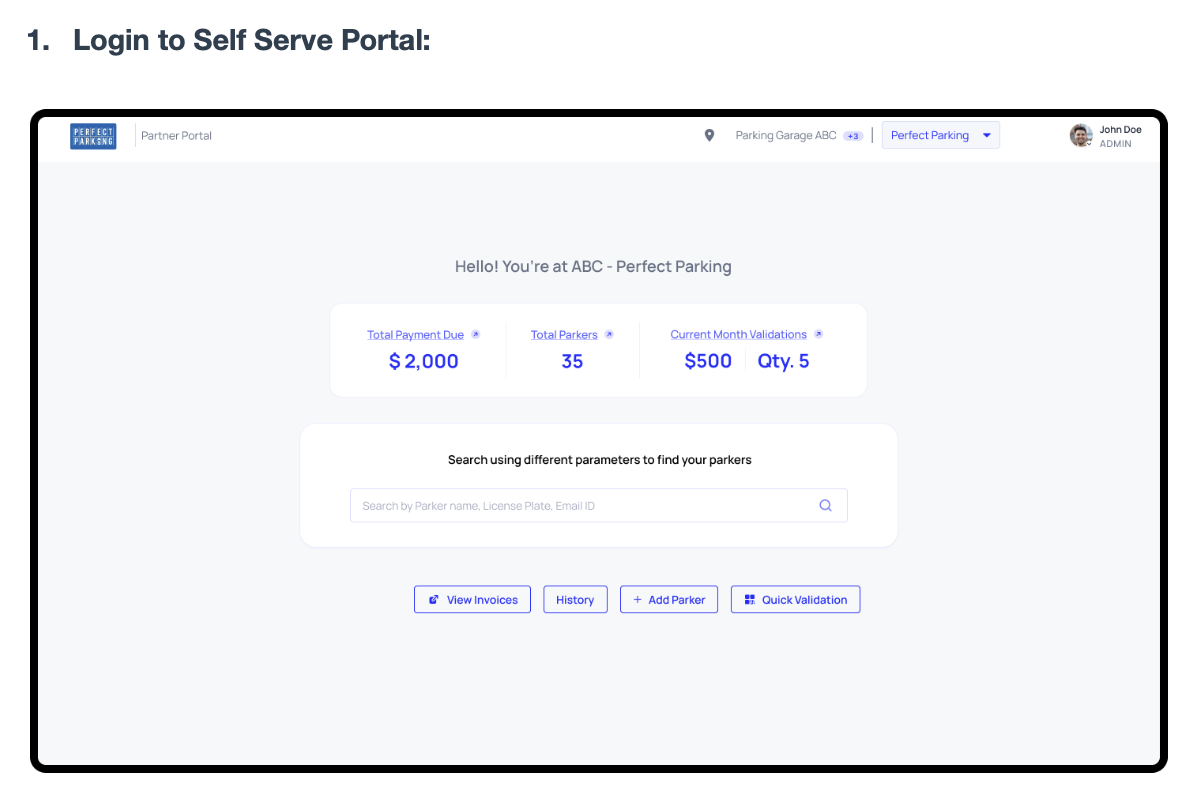
Log In to the Self-Serve Portal
Staff access the Perfect Parking portal from any browser — desktop, tablet, or phone. The dashboard shows live stats: payment due, active parkers, and monthly validations at a glance.
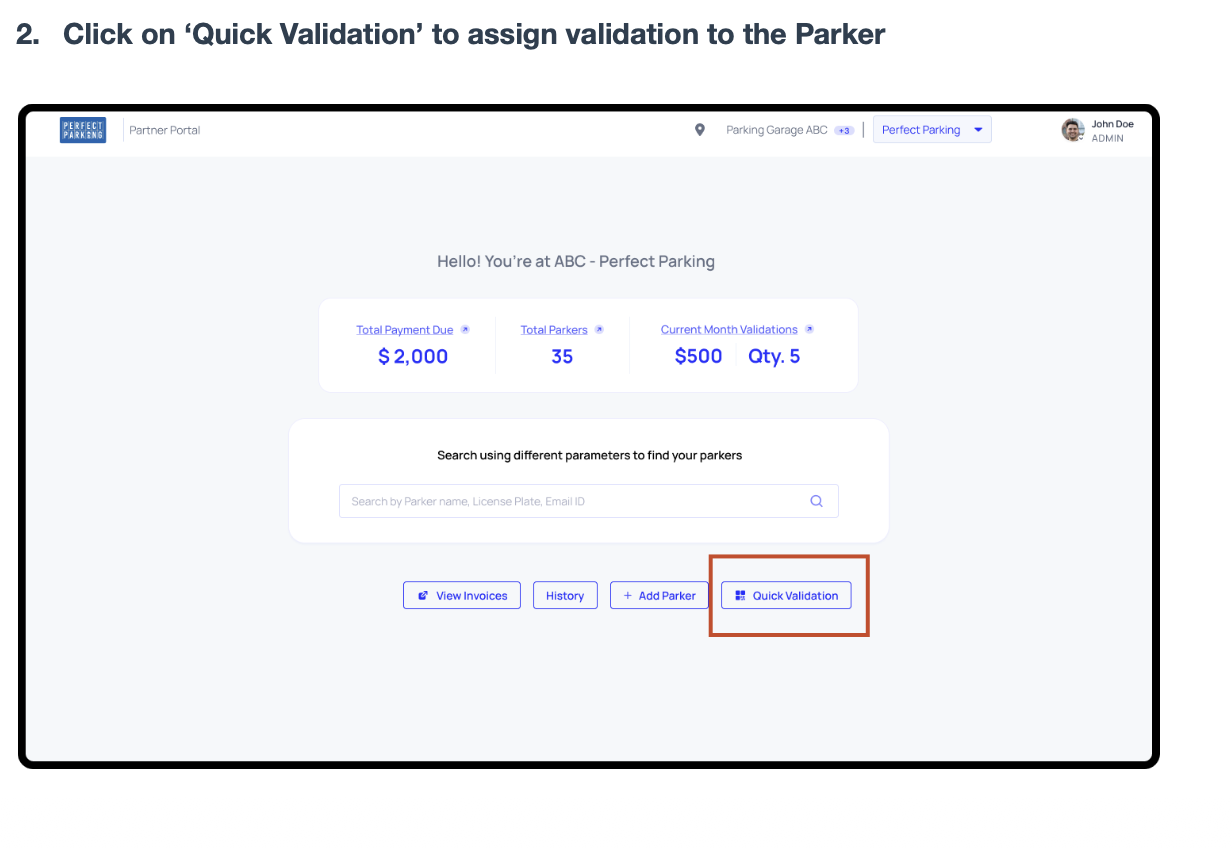
Click 'Quick Validation'
From the dashboard, click the Quick Validation button in the lower right. Staff typically bookmark this screen at the front desk for one-tap access during check-in.
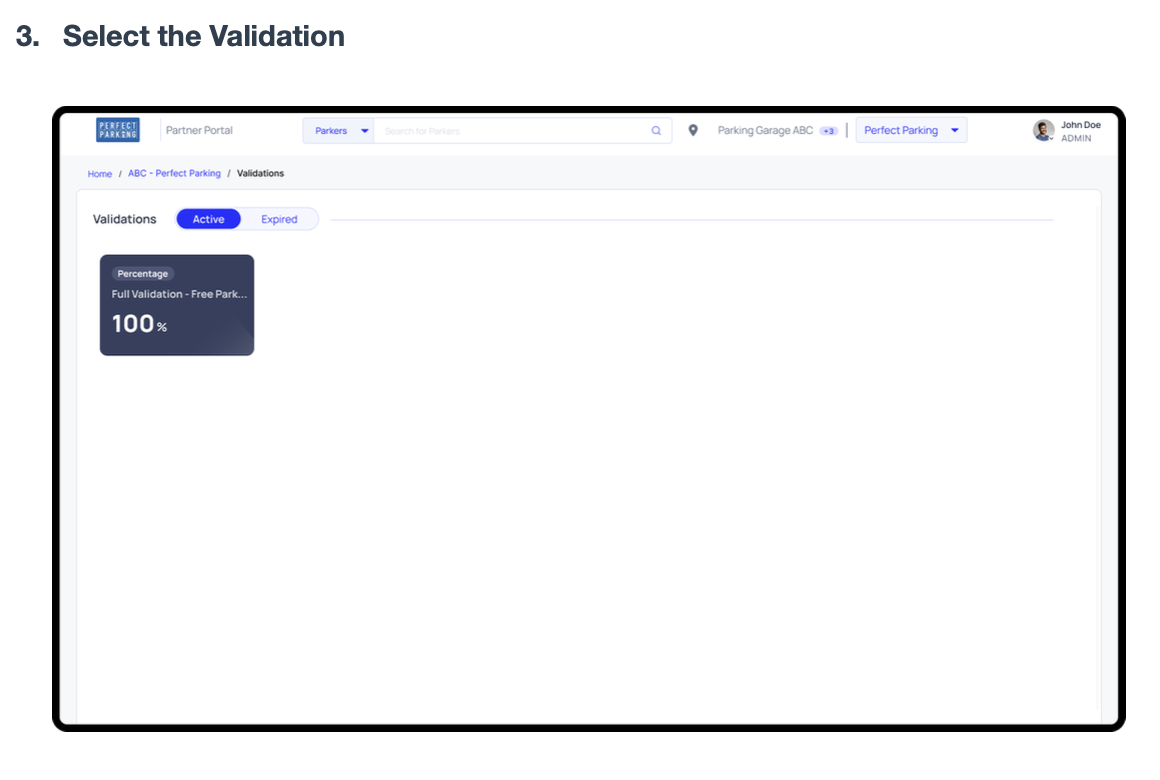
Select the Validation Type
The validation library shows all configured validation types — for example, 'Full Validation — Free Parking 100%'. Select the appropriate one for the guest, then choose a validation method.
Validation Methods
Three Ways to Validate a Guest
All three methods work whether the guest is already parked or hasn't arrived yet.
Validation via License Plate
Best for: walk-in guests at the front desk
Guest has an active session
Enter the license plate → click Submit. Validation is applied instantly to their ongoing session.
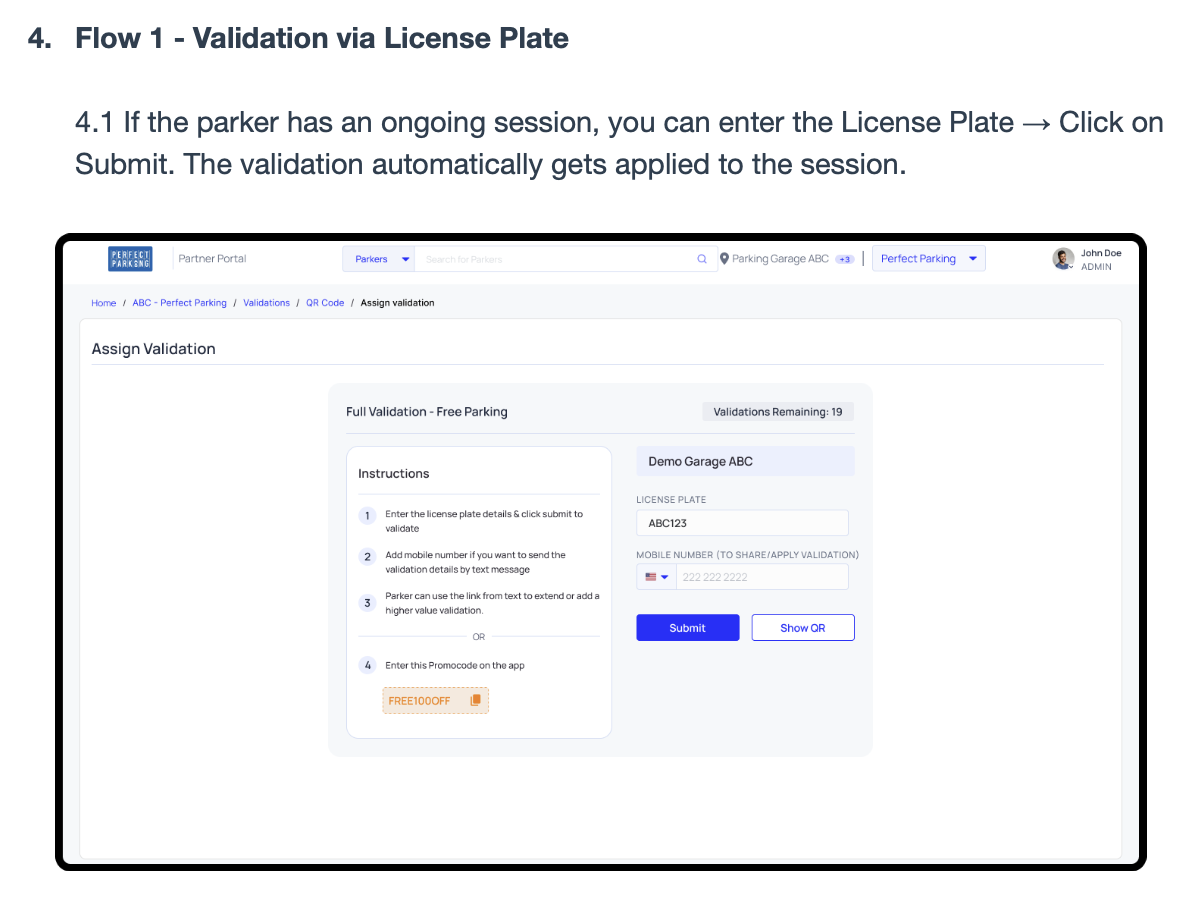
Enter plate and submit — validation applies automatically
No active session yet
Enter the plate → Submit to open a new session. A pop-up appears — the guest photographs it as their validation record.
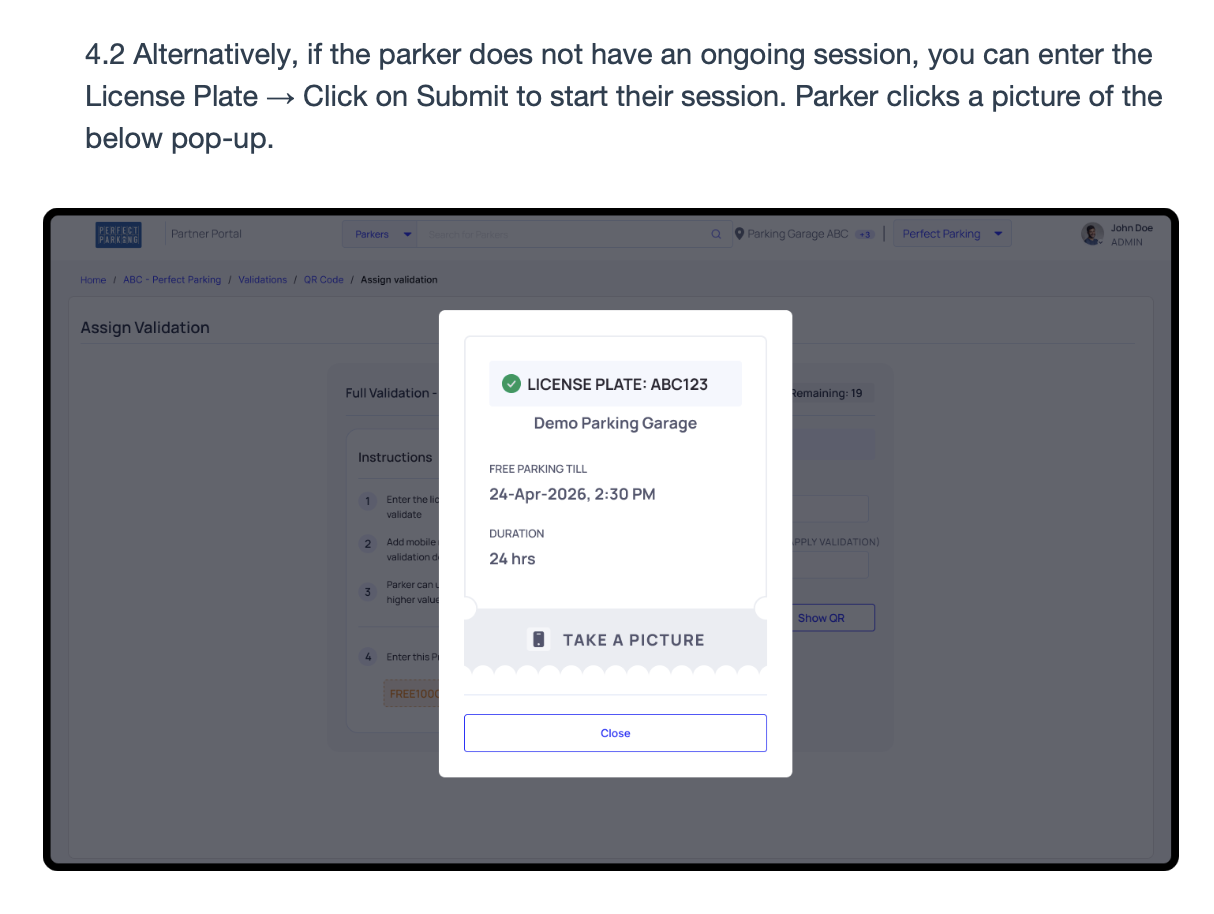
Guest photographs this pop-up as their parking record
Validation via Mobile Number
Best for: remote or contactless validation — staff can validate before the guest arrives
Guest has an active session
Enter the mobile number → click Submit. Validation is applied directly to their ongoing parking session.
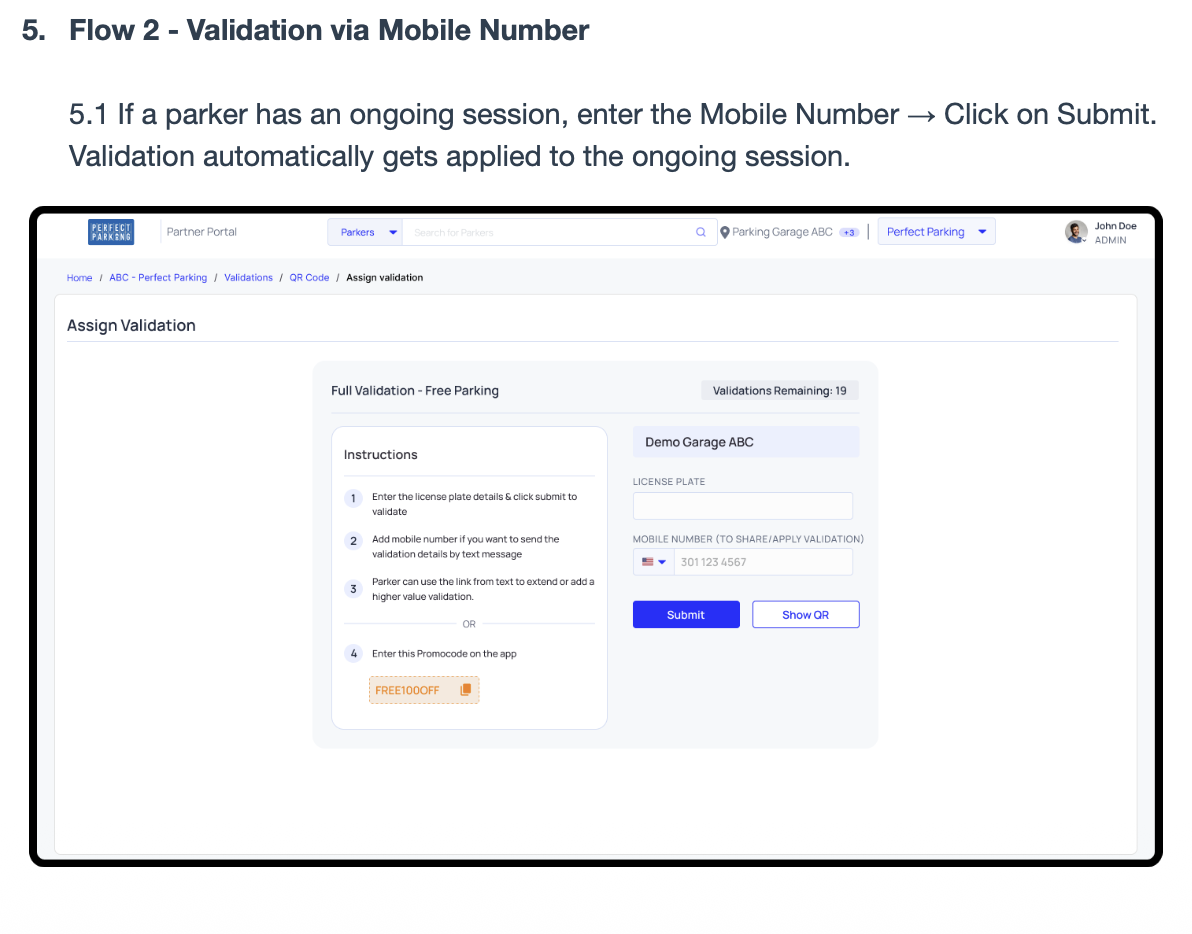
Enter mobile number — validation applies to active session
No active session yet
Enter the number → Submit. The guest receives a text with a direct link to start a pre-validated session — no desk visit required.
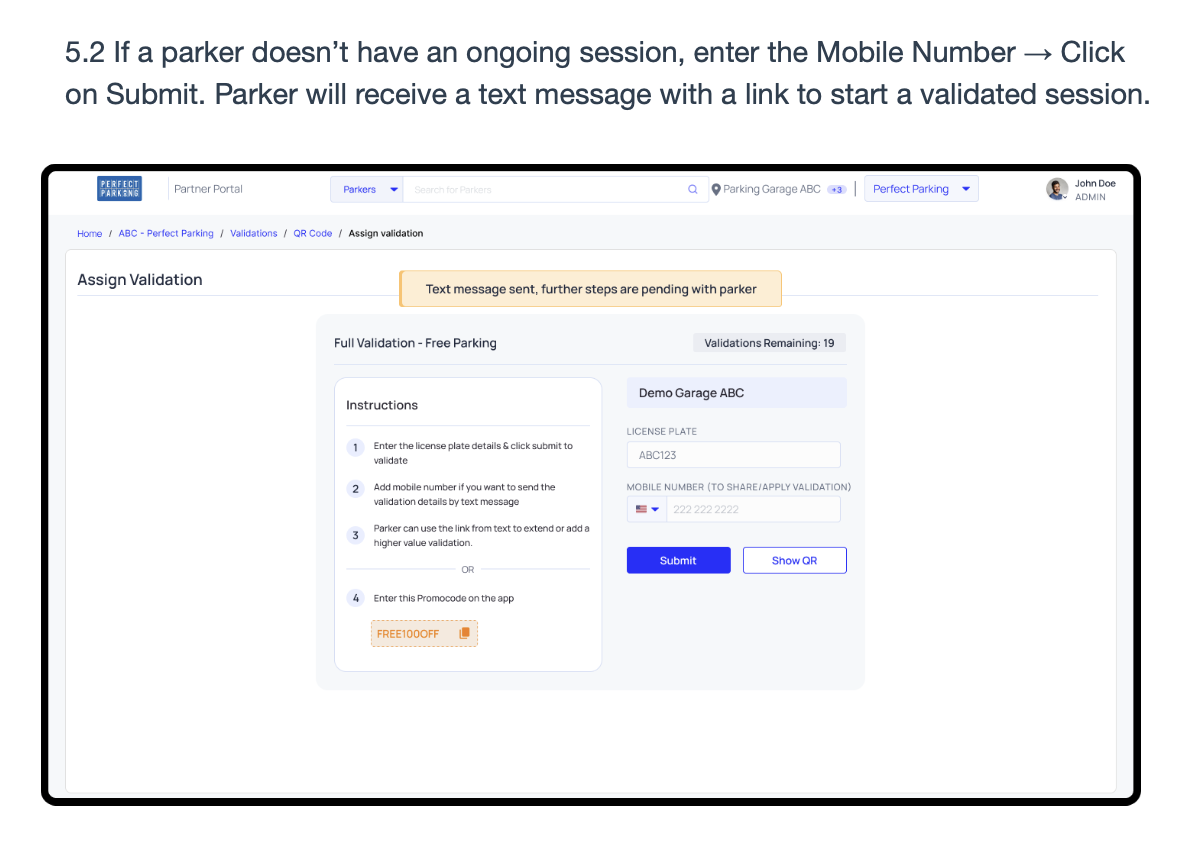
Guest receives a text link to start their validated session
Validation via QR Code
Best for: self-serve kiosks, busy lobbies, or when guests prefer to scan themselves
Guest has an active session
Click Show QR on the portal. The guest scans it with their phone — validation is instantly applied to their ongoing session.
No active session yet
The guest scans the QR before entering the lot. It opens a form to start a new validated session — fully self-serve, no staff interaction needed.
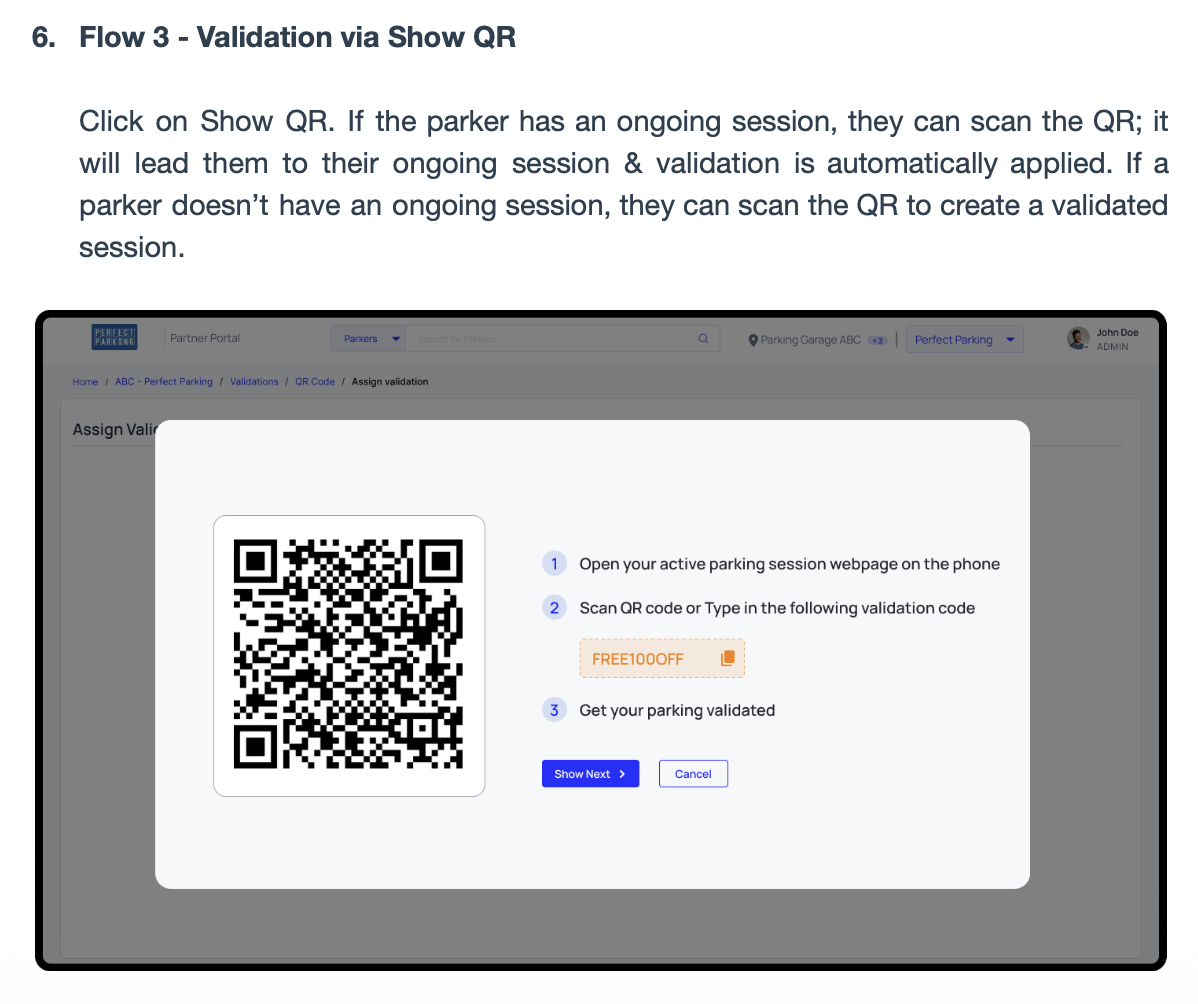
Staff displays QR on screen — guest scans to self-validate
Guest Experience
What the Guest Sees
Guests never download an app. They receive a text with a link to their validation QR code, then show it at the exit POS machine on their way out. That's it.
- Receives a text link after staff validates
- Opens the link to see their validation QR
- Shows QR at exit — gate opens automatically
- No paper ticket, no app, no friction
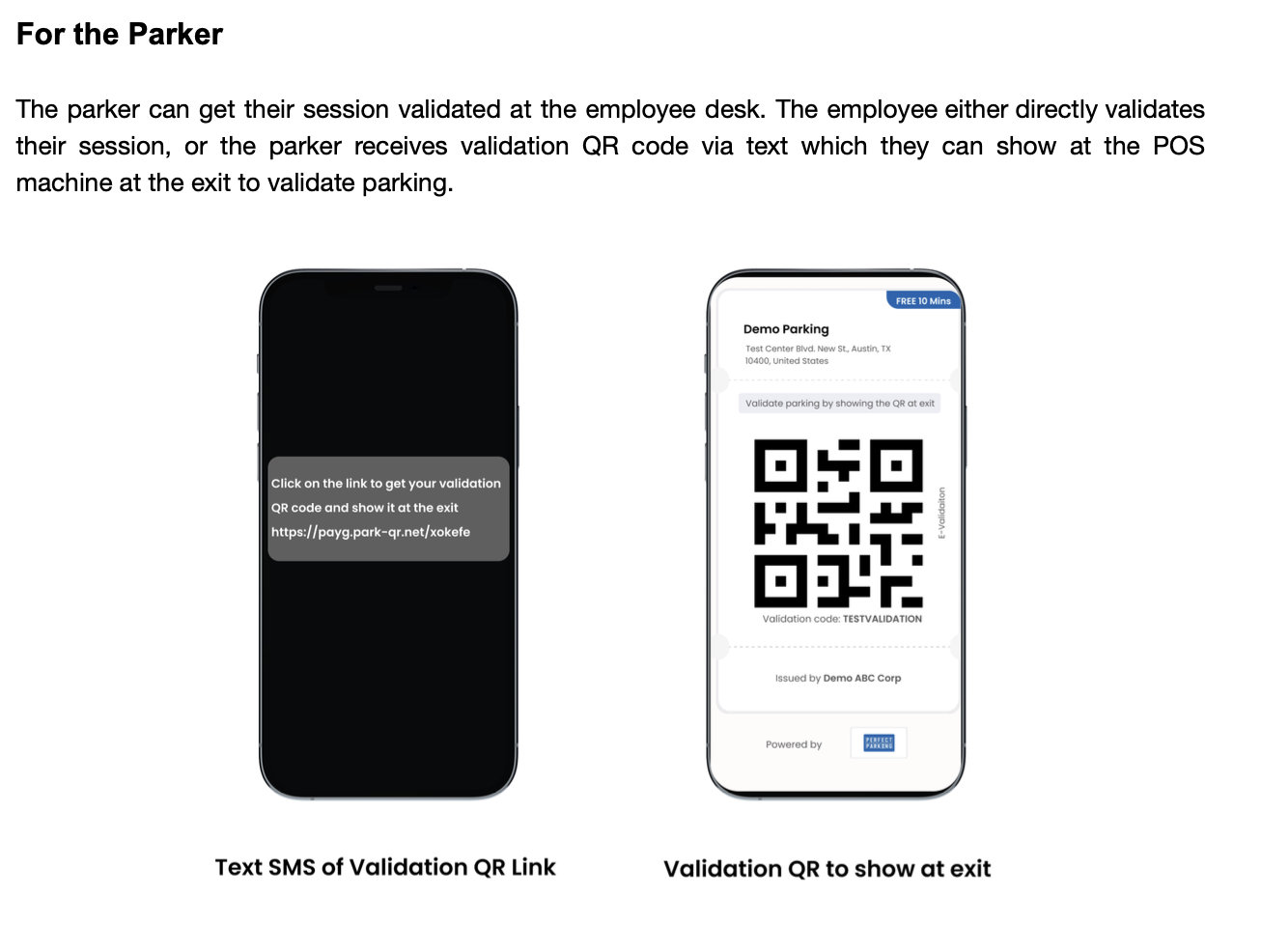
Left: text received · Right: validation QR to show at exit
Why Hotels Choose Us
Built for Hospitality Operations
No app for guests or staff
Everything runs in a mobile browser. Front desk, concierge, and valet all use the same portal link.
Works with your existing lot
No gate arm hardware required to get started. We integrate at whatever stage makes operational sense.
Three validation methods
License plate, mobile number, or QR — staff use whichever is fastest for the situation.
Guests park free, others pay
Validated guests exit at no charge. Unvalidated vehicles pay market rate — automatically, no confrontation.
Real-time dashboard
See daily revenue, validation counts, and occupancy from the same portal your staff uses, on any device.
Zero upfront cost
Revenue-share model. You pay nothing to get started — we earn when you earn.
Common Questions
Hotel Parking Management FAQ
Everything hotel operators ask before getting started.
Ready to Stop Giving Parking Away for Free?
We'll analyze your hotel's parking situation and build a custom revenue projection — no commitment required.
Other Industries